The Role
As the lead UX/UI designer, I was responsible for conducting end-to-end design activities — from user research and experience strategy to wireframing, prototyping, UI design, and usability testing. My goal was to align user needs with business goals and deliver a product that felt effortless, modern, and made for professionals on the move.
Project Summary
Clientease is an all-in-one client relationship platform that streamlines the full client lifecycle—from lead acquisition to invoicing. The platform had grown functionally rich but visually outdated and unintuitive. I was brought in to lead a comprehensive product redesign focused on improving usability, reducing cognitive load, and helping users manage their client operations more efficiently.
The Challenge
The core functionality of Clientease remained relevant. However, its interface had become cumbersome and unintuitive. Key workflows such as client onboarding, proposal sending, and invoicing lacked clarity, leading to user drop-offs. Users were struggling to find value quickly, and even power users found certain features hard to navigate.
The Goal
Our goal was to transform Clientease into a platform that:
- Modernize the user interface to increase clarity and trust.
- Simplify onboarding and workflows for time-strapped professionals.
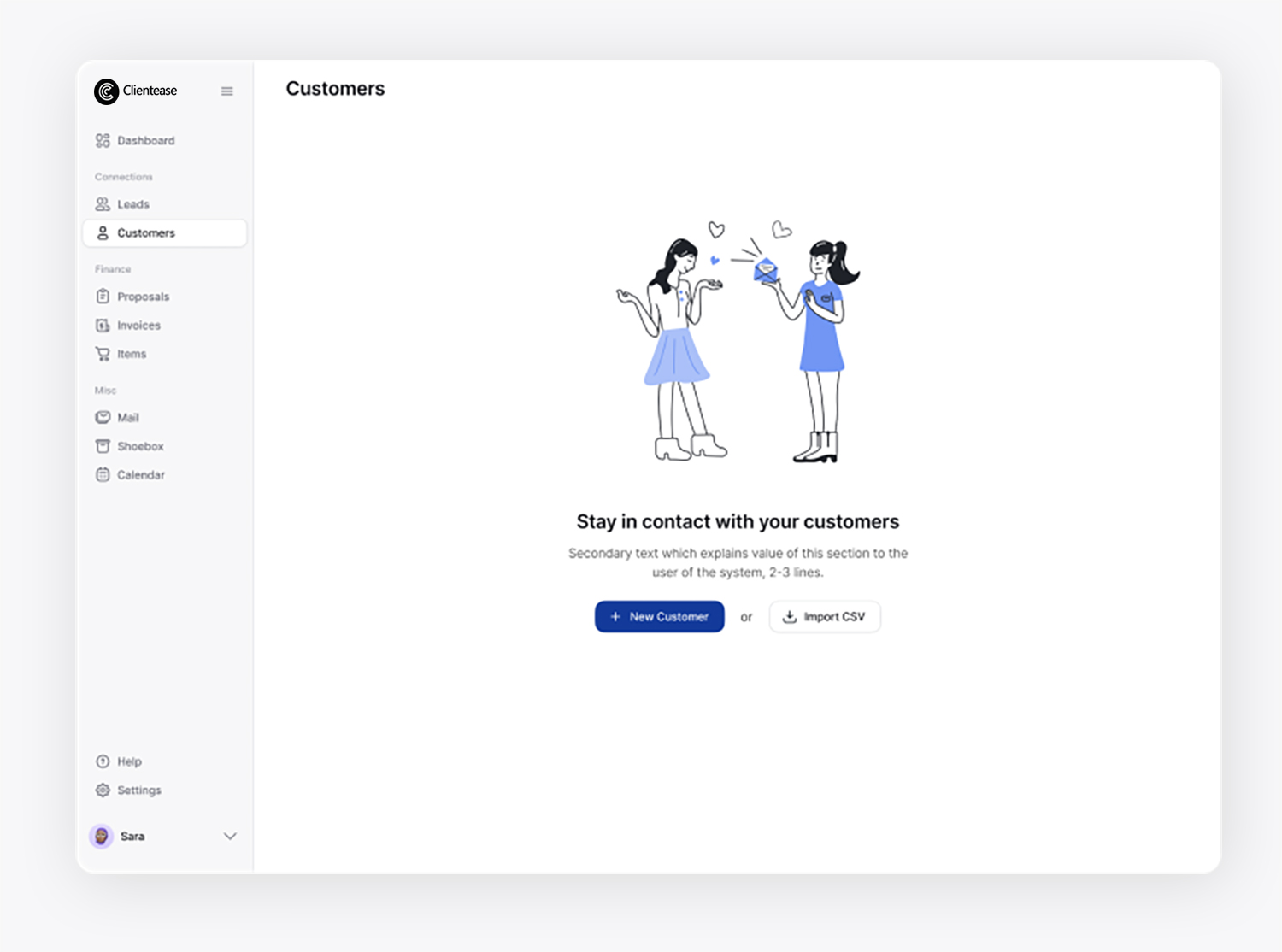
- Enhance the overall user experience with intuitive layouts and clear call-to-actions.
- Unify the entire client lifecycle management under one simple interface.
- Encourage adoption through improved first-time use and daily engagement.

Phase 1
Discover
& Empathize
Stakeholder Interviews
The founders of Clientease were clear: help users close clients faster. They emphasized a strong commitment to simplicity and automation for small teams, which informed our UX strategy from the start. The desire to help users “close clients faster”. A focus on freelancers and small agency owners. Existing challenges in feature discoverability and onboarding.
Behavioral Analytics Review
We used Inspectlet to watch how users interacted with the existing product. We uncovered:
- Users skipped over critical onboarding steps.
- Proposal creation and invoicing were commonly bottlenecks.
- Some features were barely discovered or used.
- Interest in Custom Plans: 92% said they would love an app that provides tailored recommendations.
User Interviews
We used Inspectlet to watch how users interacted with the existing product. We uncovered: Conducted six one-on-one interviews with users from diverse industries, including three freelancers specializing in marketing, consulting, and development, and three agency owners representing design, software, and content services.
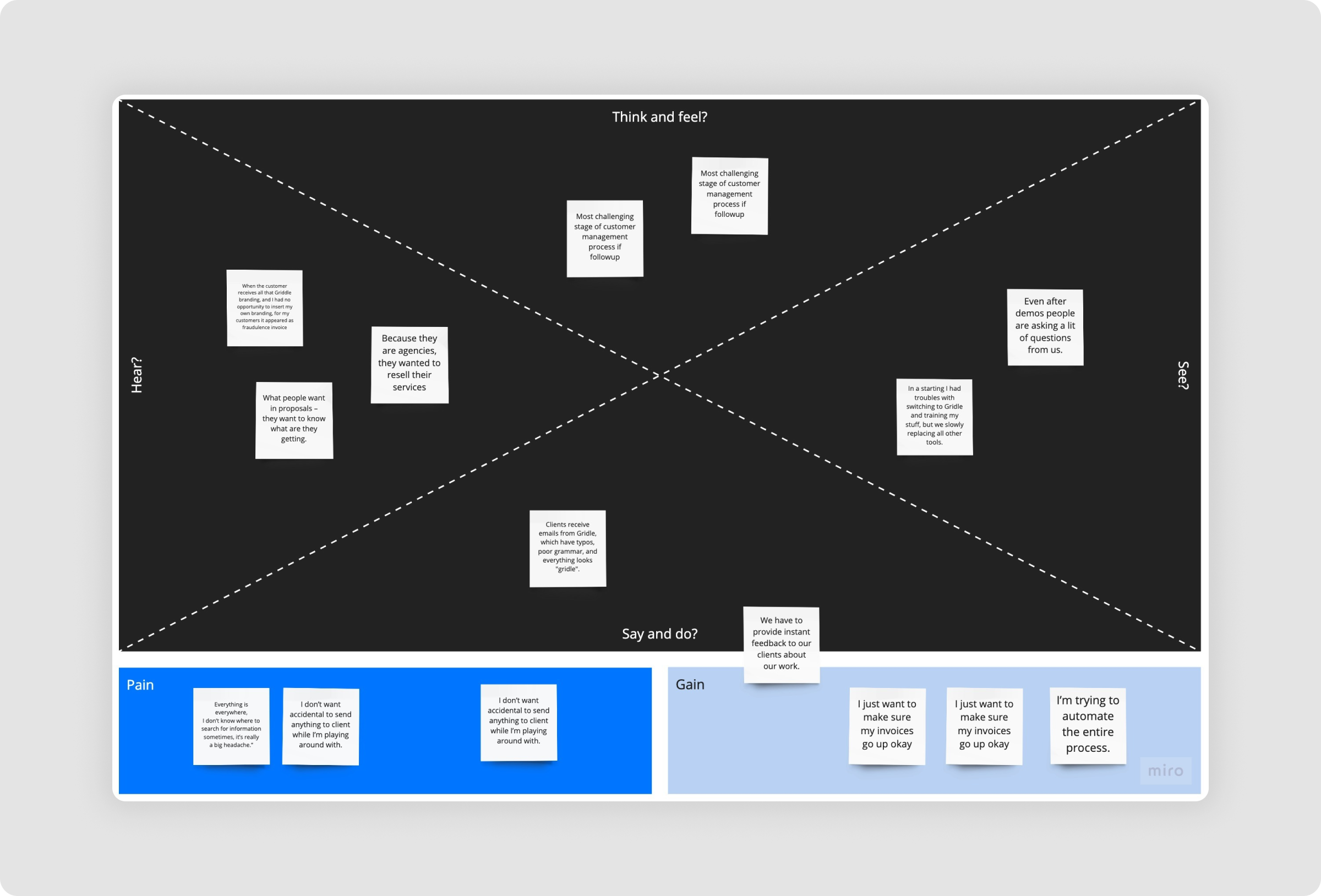
Key Insights
- Users felt overwhelmed during first-run experience
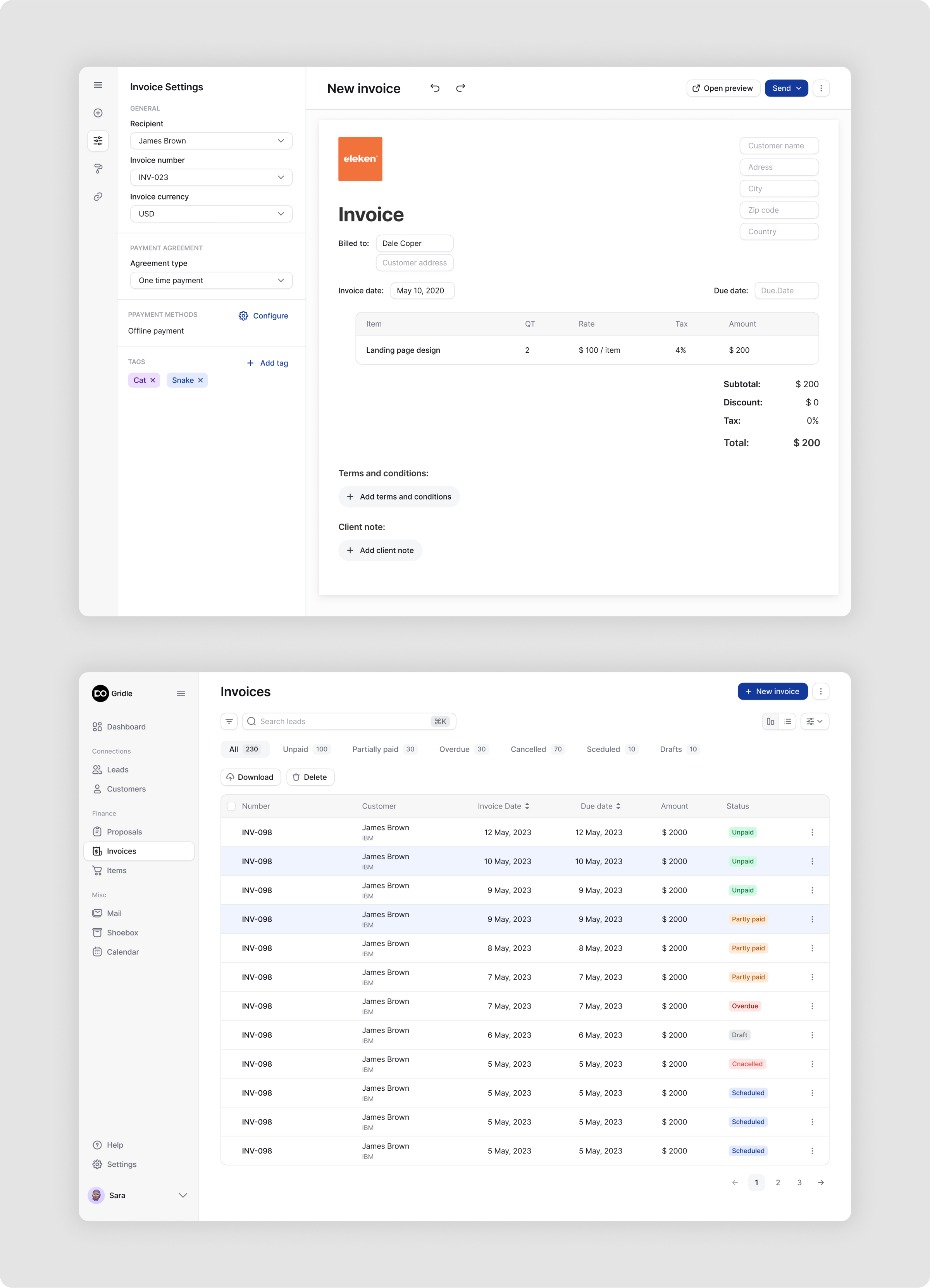
- They wanted proposal and invoice flows to be faster and more guided
- Needed one centralized place for client documents and communication
- Desired a more human tone in reminders and system messages
Phase 2
Define
Problem Statement
"Users of Clientease struggle with task prioritization, onboarding clarity, and scattered data. The product needs to deliver a more focused, frictionless, and integrated experience to retain and convert users."
User Persona 1:
Melina – The Independent Consultant
- Wants a tool that’s quick to learn and easy to use.
- Values simplicity and clarity in invoicing and proposals.
- Struggles with keeping client conversations and documents in one place.
User Persona 2:
Jack – The Agency Owner
- Manages a small team and multiple client accounts.
- Needs better visibility into lead pipelines and team activity.
- Expects automation but also flexibility and customization.


UX Strategy & Design Principles
To address user pain points and align with business goals, we anchored our work around the following principles:
- Clarity over complexity: Surface what matters most and reduce decision fatigue.
- Context-aware guidance: Help users take action based on where they are in the product journey.
- Flexible, not fragmented: Let users personalize their workflows without overwhelming them.
- Effortless professionalism: Ensure every action—sending a proposal, following up—feels polished and intentional.
- Unified experience: Bring together all touchpoints (leads, clients, proposals, invoices) into one seamless flow.
Phase 3
Ideation
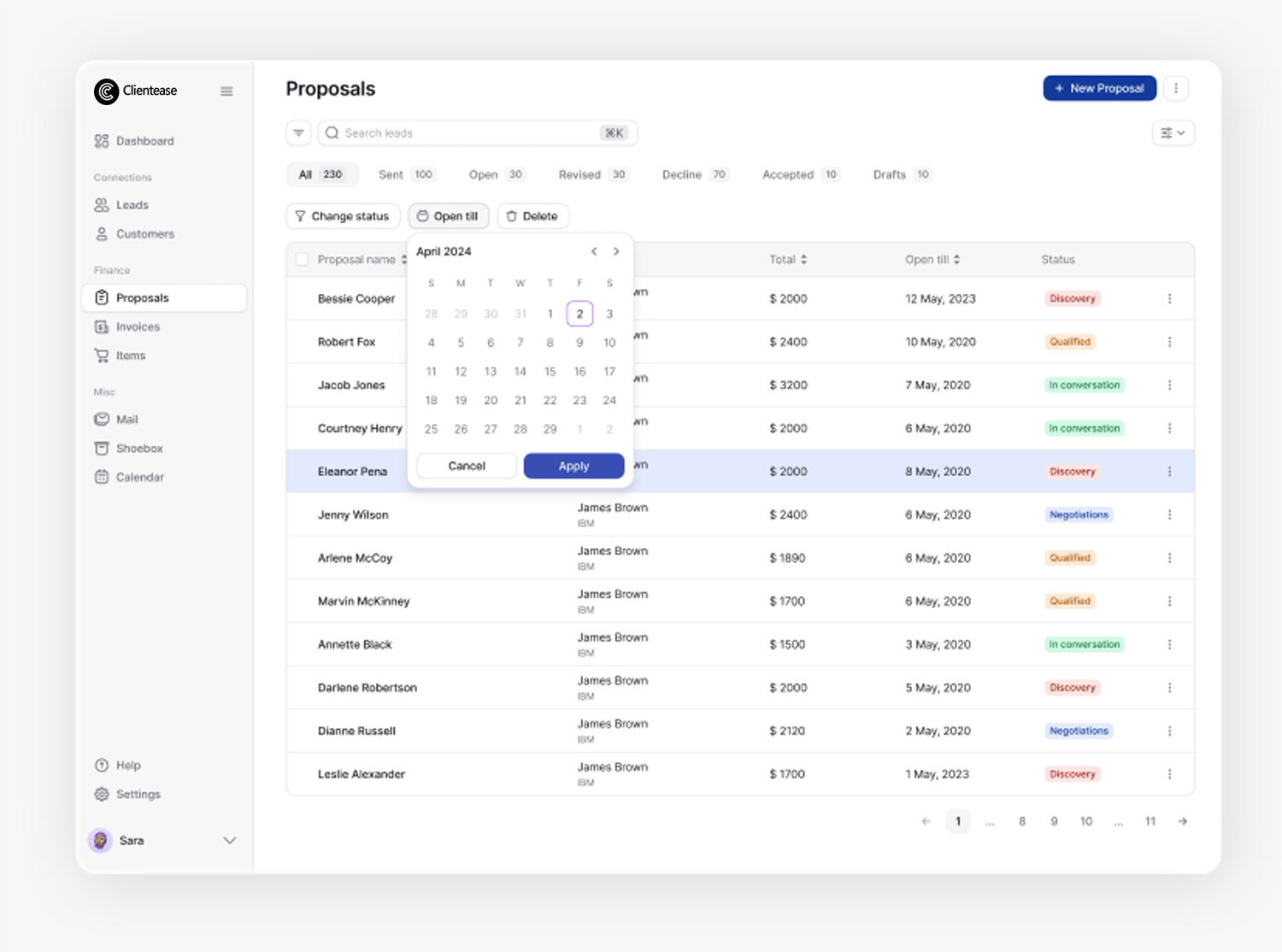
We mapped the typical user journey from first login to sending an invoice, uncovering friction points that informed our redesign priorities. Proposal creation was streamlined into a 3-step guided flow, while onboarding was restructured with action-oriented prompts to boost early engagement. Dashboards were made adaptive based on whether users were new or returning, ensuring relevant content at each stage.
Low-fidelity wireframes were developed for key modules—including the dashboard, lead management (Kanban and List views), client directory, proposal builder, and invoice generator—enabling rapid iteration and validation of the redesigned user experience.


Phase 4
Prototyping
Visual Direction
- Typography: Inter for readability, semi-bold for CTAs
- Color Palette: Calming blues and neutrals to communicate trust
- Icons: Custom minimal iconography that aligns with SaaS best practices